
Commercial Property Video: How to Brief Your Media Team

HDBROS
A commercial property video should help the intended viewer understand the space, its setting, and the next step. Before commissioning one, define the audience, choose the questions the film needs to answer, and identify where it will be shown. Then build a sequence around those decisions. This is a more useful brief than a list of attractive rooms with no connection between them.
For a leasing team, the central question might be how someone arrives and moves through the available space. For an owner presenting a completed asset, it might be how the building and its amenities fit together. For a development team, it might be how the site relates to its surroundings. Each assignment calls for different coverage, captions, and approvals.
What should a commercial property video include?
Start with a short visual explanation of the property. Establish its identity and setting, show the approach, connect the principal areas, and finish with a clear inquiry path. Include the features that matter to the intended audience, with enough context to understand what each view shows. A film can introduce the asset before a conversation or visit; it should not imply that every practical question has been answered.
Video is an established part of commercial property presentation. LoopNet’s description of its marketing platform includes professional video tours and drone footage alongside photography and 3D tours. That is a reason to consider the distribution plan early. It is not evidence that every property needs every format or that a particular film guarantees inquiries.
Choose one audience and one primary next step
Write a sentence describing who will watch and what they need to understand. “Introduce this office space to prospective occupiers before a tour” gives the production team a useful direction. “Make the building look great” leaves too many decisions unresolved. If a film serves several audiences, agree which one takes priority and whether a separate edit would help the others.
Choose the next step at the same time. An inquiry form, a conversation with the project team, or a property-specific information page gives the ending a purpose. Keep the destination relevant to the asset and check it on a phone before launch. Avoid asking viewers to choose among several unrelated actions at the end of a short film.
Build a sequence that explains the property
Organize the shot list as a journey. A sequence could move from a wider establishing view to the entrance, principal interior spaces, supporting areas, and selected details. The exact order should reflect the property and the brief. Movement between spaces should help viewers understand relationships rather than create a misleading impression of adjacency.
- Setting and arrival. Show the building in context and the appropriate entrance or approach.
- Principal spaces. Identify the areas most relevant to the audience and explain how they connect.
- Supporting features. Include amenities or operational areas when they help answer a real buyer or occupier question.
- Distinctive details. Select finishes or design elements with a clear role in the story.
- Closing view and action. End with a recognizable property view and a useful inquiry destination.
For industrial space, discuss which access and operational features can be accurately shown and safely filmed. For retail, consider the arrival experience and the relationship between the storefront and its setting. For office or multifamily projects, decide which shared areas and representative interiors can be included. These are planning examples, not fixed production packages.
Use aerial footage for context
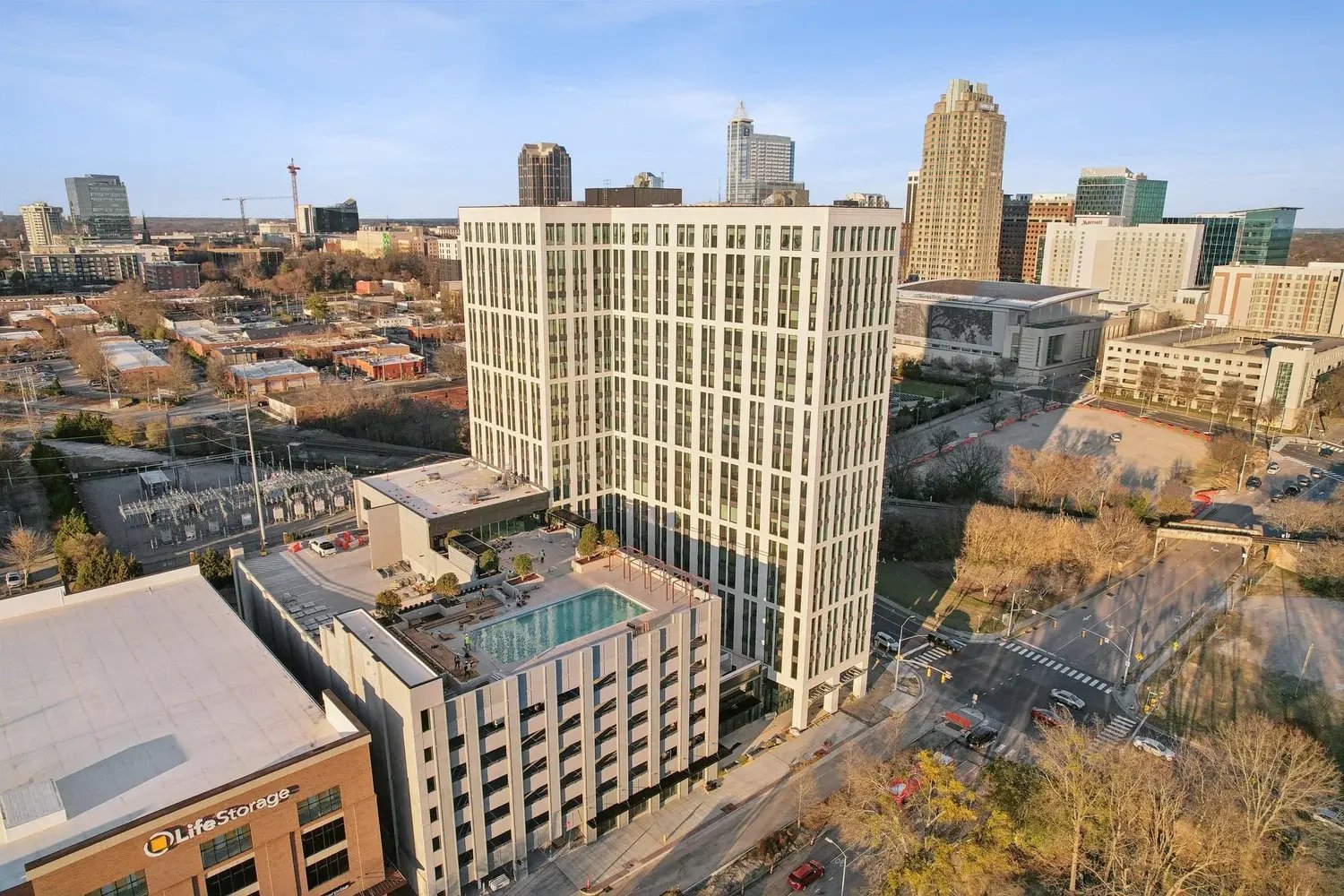
Aerial coverage is useful when it explains something the ground views cannot. It might connect buildings across a site or show the relationship between the property and nearby streets. Identify that purpose in the brief. A distant flight with no clear subject can add runtime without improving understanding.
Ask the media team to confirm feasible coverage before treating a flight as guaranteed. Access, operating conditions, and the location affect the plan. Any outlines, labels, or map overlays should be reviewed by the property team. Do not infer legal boundaries, access rights, or travel times from a camera view.
Plan formats before filming
List the destinations for the finished video, including a property website, commercial listing platform, email campaign, presentation, or social channel. Check each destination’s current upload or embedding requirements. Confirm whether it needs a horizontal master, vertical edit, captions, thumbnail, or a clean version without contact details.
A vertical version may need its own compositions and tighter sequence. Simply cropping a horizontal film can cut out important parts of a room or make captions difficult to read. Tell the production team which deliverables matter before the shoot so they can plan useful alternatives.
Keep property claims and approvals organized
Give the editor an approved facts sheet and name the person responsible for reviewing it. Check dimensions, availability statements, company names, contact information, and any labels before publication. Identify footage that needs owner, tenant, or project-team approval. Keep private documents, screens, and personal information outside the planned coverage.
Set a review process that separates factual corrections from creative preferences. One consolidated round of feedback from the designated reviewer is easier to act on than conflicting notes from several people. Agree how later changes in availability or contact information will be handled.
A commercial property video brief you can copy
Use these prompts to start the conversation with your media team:
- Property and goal: [Address or project name] — help [audience] understand [priority] before [next step].
- Priority coverage: [Arrival, principal spaces, supporting features, and specific aerial context].
- Delivery: [Website or listing platform], plus [social channels or presentation]. Confirm aspect ratios, captions, and contact details.
- Shoot readiness: [Preferred date], [access contact], [areas ready], and [areas to exclude].
- Review: [One designated reviewer], [approved facts sheet], and [required owner or tenant approvals].
Brief HDBROS on the commercial film you need
Send the property location, intended audience, priority spaces, readiness date, access contact, distribution destinations, and required versions. Add any approved plans or reference views that clarify the assignment. Explore HDBROS property films and commercial media work to see how we present space and setting. HDBROS provides media and visual storytelling; the property team remains responsible for its offering information and commercial claims.
